
Redline vs ChatGPT for Contract Review: An Honest Comparison (2026)
Should you use ChatGPT or a dedicated app like Redline to review a contract? A side-by-side comparison of workflow, output, privacy, mobile fit, and pricing.
8 min read
One does everything. One does this.
You are about to sign a contract. It is a lease, a freelance agreement, a vendor MSA, or a job offer. You want a second opinion before the pen hits paper. Two tools can give you one in under a minute: ChatGPT, the general-purpose chatbot you already know about, and Redline, a dedicated mobile app built for exactly this moment.
Which one should you reach for?
The short answer is that they answer different questions. ChatGPT is a general-purpose chatbot you drive with prompts. Redline is a dedicated contract scanner you point at a document, with Pro-tier follow-up Q&A and a draft-pushback-email feature built in. This guide walks through where each one fits, what is different under the hood, and how to pick the right tool for the contract in front of you.
Table of contents
- The 30-second version
- Workflow: how each tool actually feels in use
- Output: free-form prose vs. a fixed schema
- Accuracy on contracts specifically
- Privacy: where your contract text actually goes
- Pricing: one-time vs. subscription
- Mobile experience
- Which one should you pick?
- Do you need both?
The 30-second version
Use ChatGPT if you already pay for it, you like writing prompts, and the contract is short and not particularly sensitive. Use Redline if you are on your phone, you want the same structured review every time without writing a prompt, or you care about how your contract text is handled.
Both tools are good. They are good at different things. The rest of this article is the long version.
Workflow: how each tool actually feels in use
The biggest practical difference is what you do in the first sixty seconds.
With Redline, you open the app, photograph the contract on the leasing office counter, paste a PDF from your inbox, or share a file from the Files app. There is no prompt. The app extracts text on your device, sends it for analysis, and returns a structured review. You can scan a contract from your phone before you sit down to actually read it.
With ChatGPT, you open the app, paste contract text or upload a PDF, and then write a prompt. The prompt is the work. If you ask, "what is this contract," you get a summary. If you ask, "find the risks," you get risks the model decided to surface. If you ask, "what should I negotiate," you get a draft answer that depends entirely on how you framed the question. The same contract, prompted three different ways, will produce three different reviews.
This is not a knock on ChatGPT. The flexibility is the feature. It is just a different shape of tool. ChatGPT is a general chatbot you point at anything. Redline is a contract-specific app that delivers the same structured review every scan, and on the Pro tier also answers follow-up questions and drafts the pushback email for you.
Output: free-form prose vs. a fixed schema
Redline returns a fixed structured output for every scan:
- A document type tag, such as residential lease, freelance services agreement, or vendor SaaS contract.
- A risk score from 0 to 100, so you have a single number to compare contracts.
- A short summary in plain English.
- A list of clauses, each with a category like auto-renewal or indemnification, a severity flag, a plain-English explanation, and a location pointer back to the source text.
That structure is the same on every scan. You do not get a different report shape because you asked the question a different way. That predictability is what makes Redline useful as a scanning habit rather than a one-off conversation.
ChatGPT returns prose. You can ask for structure, and you can paste a prompt that requests JSON or a numbered list. But you are responsible for asking the same way every time, and the model can drift between sessions. For a one-off review of a single contract, that is fine. For someone reviewing several contracts a year, the consistency of a fixed schema is what saves time on the second, third, and tenth scan.
Accuracy on contracts specifically
Both tools use large language models. Redline routes its analysis to a serverless proxy that calls Anthropic Claude Haiku 4.5, with a prompt and output schema tuned specifically for consumer and small-business contracts. ChatGPT uses OpenAI's models with whatever prompt you write.
In practice, two things matter for accuracy on contracts:
- Whether the tool surfaces the right clauses at all. Auto-renewal language, indemnification, notice deadlines, money factor in a car lease, useful-life depreciation in equipment contracts, and one-sided fee escalators are the categories that catch most people. Redline scans for those patterns on every contract. ChatGPT can find them too, but only if you ask in a way that prompts it to look.
- Whether the explanation is in plain English. Both tools write fluent English. Redline's output is constrained to a fixed format and is tuned to assume you are not a lawyer. ChatGPT's output depends on the prompt and can drift toward legalese if your prompt asks formal questions.
For a careful prompter on a single short contract, the two will land in similar territory. Across many contracts and prompters of varying skill, the structured tool wins on consistency.
Privacy: where your contract text actually goes
This is where the architectures diverge most clearly.
Redline's split is:
- OCR on-device. Apple Vision on iOS and ML Kit on Android extract text from photos and PDFs. The original image and the file never leave the phone.
- Analysis in the cloud via a Redline-controlled proxy. The extracted text is sent over HTTPS to a Redline serverless proxy, which forwards the request to Anthropic Claude Haiku 4.5. The provider does not retain inputs or train on them. No retention is enforced at the proxy and is also part of the provider's API terms.
- No account required. You can scan immediately after install.
- No analytics, no tracking, no telemetry.
ChatGPT sends your contract text to OpenAI's servers. On the free tier and on ChatGPT Plus, conversations may be used to train future models unless you turn that off in settings. The ChatGPT product is designed to remember context across conversations, which is useful for general use and worth thinking about for contracts you would not want shared.
For a sensitive contract, employment paperwork, an NDA, a financial document, or anything tied to your name or address, the difference matters. Pick the tool whose data handling you actually want.
Pricing: one-time vs. subscription
Redline pricing:
- Pack: $9.99 one-time for 5 scans. $2 per scan.
- Plus: $29.99 per year for 30 scans, plus a searchable archive of every contract you scan.
- Pro: $89.99 per year for unlimited scans plus Q&A follow-up (ask the app questions about your specific contract) and a feedback-email drafter that writes the pushback for you.
There is no monthly subscription. If you scan a couple of contracts a year, the Pack tier is the lowest fixed cost. If you scan more than a handful, Plus pays for itself and the archive becomes the reason to stay on it. If you scan a contract every month or you want the Q&A and pushback drafting, Pro removes the limits.
ChatGPT pricing:
- Free tier. Limited, but enough to review a short contract.
- ChatGPT Plus. $20 per month. Worth it if you use ChatGPT broadly. Expensive if contracts are the only thing you would use it for.
If you would otherwise pay for ChatGPT Plus anyway for general use, the marginal cost of using it on a contract is zero. If contract review is the only reason you would subscribe, Redline's one-time tier is cheaper across most usage patterns.
Mobile experience
Redline is built mobile-first. The camera capture, OCR, and review all run on the phone. The workflow assumes you are standing in a leasing office or sitting at a kitchen table with a paper contract in front of you, not at a desk with a scanned PDF.
ChatGPT has a mobile app, and you can paste text or upload a file. The contract review workflow is built around desktop paste-and-prompt, and the photo workflow on mobile requires extra steps to extract text before you prompt against it.
If your contracts arrive as printed pages or photos, the mobile-first workflow saves real time. If your contracts arrive as PDFs you open on a laptop, that advantage is smaller.
Which one should you pick?
A simple decision tree:
- You already pay for ChatGPT Plus and the contract is short: use ChatGPT. The marginal cost is zero, and a careful prompt will get you most of the way.
- You are on your phone, in the moment, with a paper contract: use Redline. The mobile photograph workflow exists for exactly this.
- You want the same structured review every time: use Redline. A fixed schema beats variable prose for scanning habits.
- Privacy matters and you do not want an account: use Redline. On-device OCR, no account, no retention at the analysis provider.
- You want follow-up Q&A on a specific clause or a draft pushback email: use Redline Pro. Both are built into the Pro tier ($89.99 per year, unlimited scans). You do not need a separate tool for this.
- You sign more than a few contracts a year: use Redline. The structured output compounds in value the more contracts you scan.
Do you need both?
Probably not. Redline Pro already covers the parts that would otherwise push you over to ChatGPT.
After a scan, Redline Pro lets you ask follow-up questions about the specific contract in front of you ("what does section 7.3 actually mean for me," "is this notice period normal," "what would I send back to push on this"). It also drafts the pushback email itself, in language tuned to the specific clause and the role you are in. Those are the two things people most often paste a contract into ChatGPT for, and they are built in.
If you already pay for ChatGPT for general use, there is no harm in using it as a second voice on a contract. The marginal cost is zero. But you do not need it on top of Redline Pro for the contract-review use case itself.
If you do not have Pro, the Pack tier ($9.99 one-time, 5 scans) gets you the structured review without the Q&A and pushback drafting. In that case, ChatGPT is a reasonable companion for the follow-up steps, especially if you are already paying for it.
Before you sign your next lease, offer letter, NDA, vendor agreement, or freelance contract, run it through Redline. It returns a structured plain-English review every time, photographs work on the phone, and there is no account or subscription required to start.
Frequently asked questions
- Can ChatGPT review a contract?
- Yes. ChatGPT can summarize a contract and flag risk language if you paste the text and ask for it. Quality depends on the prompt. For a one-off look, it works. For consistent, mobile-friendly review with structured output every time, a dedicated tool like Redline is built for the job.
- Is Redline more accurate than ChatGPT for contracts?
- Redline returns a fixed structured output every scan: a document type tag, a risk score from 0 to 100, a short summary, and a list of clauses with category, plain-English explanation, and severity. ChatGPT can match that quality on a well-prompted single review, but it is less consistent across many contracts because the user writes the prompt every time. The structured schema is the practical difference.
- What about privacy: which one is safer?
- Redline runs text extraction on your device using Apple Vision on iOS and ML Kit on Android. The original photo or PDF never leaves the device. Extracted text is sent over HTTPS to a Redline-controlled proxy that forwards it to Anthropic Claude Haiku 4.5 with no retention and no training on inputs. No account is required. ChatGPT sends your contract text to OpenAI servers, and on the free tier conversations may be used for training unless you opt out in settings.
- When should I use ChatGPT instead of Redline?
- ChatGPT is the right tool when you already pay for it, the contract is short, you have time to write a careful prompt, and the contract is not sensitive. Redline is the right tool when you are on your phone, when you want a consistent structured review every time, when privacy matters, or when you would rather pay once than subscribe.
- Can I use both?
- You can, but you may not need to. Redline Pro already includes document Q&A (ask follow-up questions about your specific contract) and draft pushback emails (it writes the counter-offer language for you). If you already pay for ChatGPT for general use, the marginal cost of pasting a clause in is zero. If you do not, Redline Pro covers the same ground for the contract-review use case without the subscription.
- Is either one a substitute for a lawyer?
- No. Both are decision-support tools. They surface the questions you should be asking. For five-figure-or-larger commitments like buying a house, signing a commercial lease, or executing an enterprise contract, talk to an attorney. For everyday consumer and small-business contracts, AI review is the difference between signing blind and signing aware.
Keep reading
10 Contract Negotiation Strategies for 2026
Master contract negotiation strategies for 2026. Learn to prioritize terms, frame asks, and spot risks in leases, job offers, and more with these 10 tips.

84-Month Auto Loan: The 7-Year Math the Dealer Doesn't Want You to See
22.9% of new-car loans now run 84 months. The interest cost, the negative-equity timeline, and the three scenarios where a 7-year loan actually pencils out.
9 Landlord Red Flags You Should Catch Before You Sign
Nine landlord red flags renters miss before signing. Real lease language, the 2026 FTC junk-fee rulemaking, and the rights you can't waive even if your lease says you can.

ACV vs Replacement Cost: The Depreciation Math, the 24-Month Rule, and the Roof-Schedule Trap That Pays $4,200 on a $22,000 Roof
Roof claim came in at 25% of the quote? Here's the ACV vs replacement cost math, the 24-month rebuild rule, and the roof-schedule endorsement that quietly cuts your payout.
AI Contract Review: Your Secret Weapon Against Bad Deals
Learn how AI contract review works, what risks to watch for, and how to use it to spot unfair clauses in leases, job offers, and more. A guide for 2026.

Amazon Flex Contractor Terms: Block Forfeiture, Cargo Indemnity, and the $61.7M Tip-Skim
The block-forfeiture clause that docks pay for one missed block. The cargo indemnity that survives Amazon's app routing errors. The FTC v. Amazon Flex tip-skim settlement and what is still in the contract.

Anti-Concurrent Causation: The Insurance Clause That Denies Hurricane Wind Claims for Flood Reasons, and the 4 States That Refuse to Enforce It
Hurricane wind blew off the roof. The carrier denied the whole claim citing flood. Here's the anti-concurrent causation clause, the 4-state carve-out, and the Helene/Milton denial pattern.
Arbitration Clause Meaning: Know Your Rights
Understand the arbitration clause meaning before you sign. Learn your rights, spot risky terms, and negotiate contract changes effectively.

As-Is Used Car Sale: What 'No Warranty' Actually Lets the Dealer Get Away With
The Buyers Guide on the window has two versions. The one with 'AS IS — NO WARRANTY' checked still doesn't do what most dealers say it does. The state list, the federal floor, and the 90-day rule.

Auto Insurance Contract Red Flags: The Five Lines That Decide Whether You Walk Away Whole
The state minimum is a five-minute conversation, not real coverage. Stacked vs unstacked UM, diminished value, limited tort, and the comparative-fault math that decides what you actually recover.

Auto Loan Contract Red Flags: The Seven Shapes
Seven patterns in every auto loan contract: APR disclosures, F&I add-ons, trade-in math, arbitration, repossession, and the federal shield most buyers don't know.

Best AI Contract Review Apps in 2026: An Honest Comparison
A side-by-side look at the consumer AI contract review apps in 2026. Redline, Justee, Contract Crab, DocuSign Iris. Pricing, what each does well, what it skips.

Buyer's Agent Agreement Post-NAR Settlement: The Four Lines That Are Now Negotiable
Post-NAR settlement, the buyer-broker agreement is now required and now negotiable. The four lines to fight: compensation rate, exclusivity term, property scope, and the seller-pays gap.

Cap Cost Reduction on a Lease: When $3,000 Down Disappears
The $3,000 due at signing on a lease ad is mostly cap cost reduction. Here is what it actually buys, when it vanishes, and the handful of states where it can pay for itself.

Car Lease Red Flags: 5 Tricks Dealers Use to Pad Your Monthly Payment
Five car lease tricks that quietly add thousands to your monthly payment. Real F&I clause language, the federal disclosures that don't apply, and how to push back.

CareCredit Deferred Interest: The Retroactive 26.99% APR Most Cardholders Don't See Coming
CareCredit's deferred interest is not 0%. It is 0% only if you pay the entire balance by the promotional end date. Miss it by a day and the full balance gets billed back at 26.99% from the original purchase date. The CFPB $34.1M action, the math, and the fix.

Cell Phone Early Termination Fees, Decoded: What You Actually Owe
What carriers really charge to leave early, why your device installment loan is the new ETF, and how to switch carriers without paying twice.
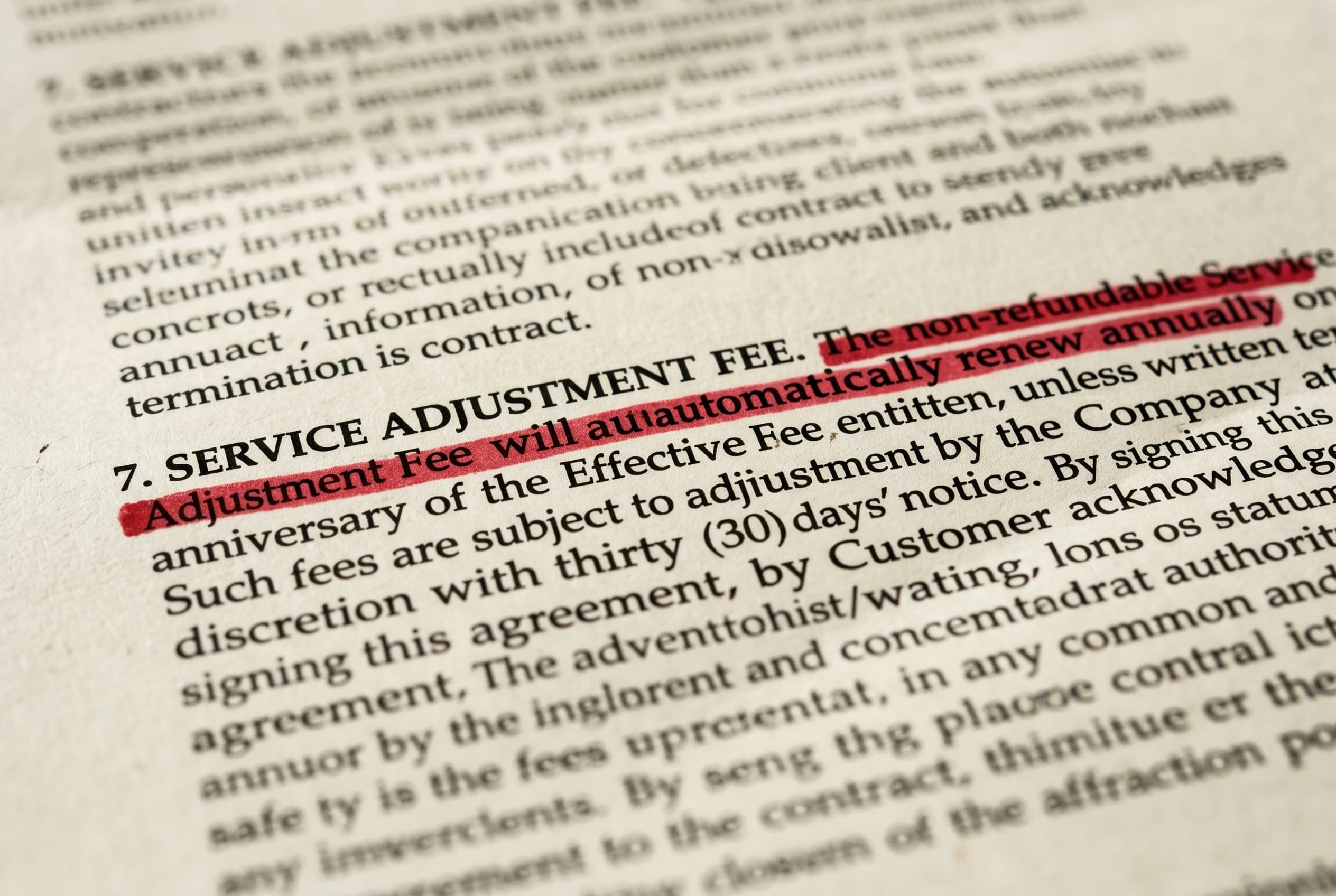
Contract Red Flags: The Five Shapes Every Bad Clause Takes
Every bad contract clause fits one of five shapes. Real legalese, severity tiers, and what changed when the FTC withdrew three consumer-protection rules in 2026.
Contract Termination Clause: Your 2026 Guide to Exiting
Understand the contract termination clause before you sign. Our guide explains termination for cause, for convenience, and how to spot costly red flags.
Contracts for Small Business: Your Essential Guide
Master contracts for small business. Our guide covers essential agreements, critical clauses, and red flags to protect your venture. Avoid costly mistakes.
Credit Card Agreement: A Plain English Guide for 2026
Don't sign that credit card agreement yet. Our guide decodes the fine print, flags hidden fees and red flags, and shows you how to protect your money.

Dealer Add-Ons, Decoded: What's on the Sticker That Wasn't on the Window
GAP, VSC, paint sealant, nitrogen tires, VIN etch. The ten-times markup, what to cancel, and the FTC enforcement actions reshaping dealer pricing in 2026.

Dealer Doc Fees, Decoded: $85 in California, $800 in Maryland, Uncapped Almost Everywhere Else
17 states cap the doc fee. 33 don't. Florida and Georgia routinely charge $1,000+. Here's what the fee actually covers, where it's capped, and the OTD line that ends the conversation.

DoorDash Independent Contractor Agreement: What 'I Agree' Actually Signs You Up For
The five clauses every dasher e-signs without reading. Mandatory arbitration with a 30-day opt-out, deactivation at sole discretion, vehicle indemnity, and the FAA Section 1 question after Bissonnette.
Effective Insurance Policy Review Guide for 2026
Conduct an effective insurance policy review in 2026 with our guide. Spot red flags, understand coverage gaps, and ensure robust protection.
Employment Contract Review: A Step-by-Step Guide
Don't sign yet. This step-by-step employment contract review guide walks you through key clauses, red flags, and negotiation tactics to protect your career.

Flood Insurance NFIP Red Flags: The Four Coverage Gaps That Pay Zero on a $40K Loss
NFIP caps at $250K dwelling / $100K contents. Basement contents excluded entirely. 30-day waiting period. Risk Rating 2.0 doubled some premiums. Private flood insurance often beats it.

Freelance Contract Red Flags: The Eight Clauses That Eat Your Margin
Eight clauses that quietly turn a freelance gig into unpaid work, lost IP, or personal liability. Real legalese, severity tiers, and the state laws that protect freelancers in 2026.

Freelance Isn't Free Act: The $800 Threshold, the 30-Day Default Rule, and the Doubling-Damages Math That Makes a $4,000 Invoice Worth $8,000 + Attorney's Fees
Client ghosted on the invoice. Here's the $800 threshold, the 30-day default rule, the doubling damages math, and the four state laws that turn a $4K unpaid invoice into $8K plus attorney's fees.
Hidden Apartment Fees: What's Legal, What's a Junk Fee, and How to Push Back
The field guide to hidden apartment fees in 2026. What the FTC just fined Greystar and Invitation Homes for, the clause language to grep your lease for, and the fees you can actually push back on.

HOA Covenant Traps: The Three Clauses Buyers Miss in the 240-Page CC&Rs Binder
Special assessment authority, architectural review power, and selective enforcement. The three HOA covenant traps that cost the most after closing, with the documents to demand before signing.

Holding Deposit vs Security Deposit: What You Are Actually Paying
A holding deposit and a security deposit are two different legal instruments with different refund rules. A plain-English decision tree, the rollover clock, and where landlords get caught conflating the two.

Home Buying Red Flags: The 10 Traps in the Documents Between Offer and Keys
The ten home-buying red flags hiding between your accepted offer and the closing table. Real clause language, the federal disclosures that protect you, and what to negotiate before signing.

Home Contractor Contract Red Flags: The Mechanic's Lien Clause, the 10% Retainage Rule, and the Three-Day FTC Cooling-Off Right
Contractor handed you a one-page contract he wrote himself? Here's the mechanic's lien clause, the 10% retainage rule, and the FTC Cooling-Off Right that doesn't appear on his form.

Home Warranty Plans: The Three Denial Patterns and the State AG Actions That Prove the Pattern
Home warranty companies deny claims using three patterns: lack of maintenance, pre-existing condition, and coverage caps. State AGs have sued. Here are the denial patterns and the small-claims path.
How Early Termination Fees Actually Work (and When Landlords Can't Charge Them)
Early termination fees in residential leases. What's typical, when the fee isn't enforceable, and the federal and state laws that can cancel it entirely.

How Early to Renew a Lease: State Notice Rules and the Wait-30-Days Move
When to renew your lease, when to wait, and how to counter an early renewal offer with a rent increase. State-by-state notice rules and the negotiation script that works.

How Far in Advance Can You Sign a Lease? The 60 to 90 Day Window and What Actually Locks
How far in advance you can sign a lease, what locks at signing, and the holding-deposit trap that costs renters real money. Plain-English playbook with state-by-state cues.
How to Actually Cancel a Gym Contract (Without Paying for a Year You Won't Use)
The clauses gyms use to keep you paying after you quit, what your state law says about them, and the exact words to put in a cancellation letter.

How to Break a Lease: The 7 Legal Exits and How to Negotiate the Rest
A renter's guide to breaking a lease without owing thousands. The seven legal exit ramps, the duty-to-mitigate map, and the negotiation moves that work even when nothing protects you.

How to Cancel a Subscription When They Make It Impossible
When the cancel button is hidden behind a phone tree, here's the playbook. State laws, the chargeback path, and the letter that creates a paper trail.

How to Get Out of an Auto-Renewal Contract: The Five-Step Escape
A step-by-step guide for getting out of an auto-renewal contract, the chargeback and state-law leverage that works when the cancellation window closed, and the four templates you can send today.
How to Get Your Security Deposit Back (Without Suing Your Landlord)
A renter's playbook for getting your full deposit back. The 21-day clock, the bad-faith multiplier, and the demand letter that makes corporate landlords pay up in 10 days.

Indemnification Clauses, Explained: What 'Hold Harmless' Actually Costs You
An indemnification clause turns a small contract into an unlimited bet. Here's what the four flavors actually mean, why "duty to defend" is the part that hurts, and how to negotiate it down.

Independent Contractor vs Employee: Why Your 1099 Doesn't Decide It
A 1099 doesn't make you a contractor. The federal six-factor test, the state ABC test, and the contract clauses that quietly signal you're misclassified.

Instacart Shopper Agreement: The Tip-Baiting Clause and Three Other Traps
The clause that lets customers cut your tip 24 hours after delivery. The non-engagement metric. The chatbot-only deactivation appeal. The four mechanics inside the Instacart full-service shopper contract.

Insurance Claim Denied: The 5 Reasons Carriers Use, the 30-60-90 Day Appeal Timeline, and When to File with the Commissioner
Got a denial letter for a homeowners claim. Here's the 5-reason taxonomy carriers actually use, the appeal timeline, and the state UPPA your insurer doesn't want to invoke.

Insurance Policy Red Flags: The Five Clauses That Decide If Your Claim Pays
53% of Hurricane Helene claims denied. The five clauses that decide whether your insurance pays or stalls: exclusions, named-perils, ACV, anti-concurrent causation, and the appraisal clause.

Is Your Non-Compete Actually Enforceable? A Plain-English Guide
What non-competes really say, why most are narrower than they look, and what your old offer letter is worth now that the FTC ban has been withdrawn.
Lease Mileage Overage: What 14,000 Extra Miles Costs at Turn-In
Lease mileage overage is $0.15 to $0.30 a mile at turn-in. Per-captive rates, the buy-upfront break-even, and the 14k mi/yr point where leasing stops working.

Lease Start Date vs Move-in Date: The Three Gotchas in the Gap
The legal difference between your lease start date and your move-in date, plus the three gotchas in the gap. Prorated rent math, tender of possession, and the full-month-upfront trick.

Lease vs Buy at 7% APR: The Math That Changes Everything
Most lease vs buy posts use 4% APR and lease wins. At May 2026's real 7% auto-loan rates, the answer flips at 5 years of hold. Three scenarios, full math.

Life Insurance Beneficiary Traps: The Five Designations That Decide Who Gets the Money
Ex-spouse not removed, per stirpes wrong default, ERISA preemption, the slayer rule. Five beneficiary traps that pay the wrong person, and the five-minute review that fixes them.

Lyft Driver Agreement: Period 1, Period 2, Period 3, and the Insurance Gap You Pay For
The Lyft Driver Agreement names three periods. Coverage only kicks in fully during Periods 2 and 3. Period 1 is your personal insurance, and most personal policies exclude commercial use. The contract clauses behind the gap.

Master Your Car Rental Agreement: 2026 Insider Guide
Stop overpaying. Learn to decode your car rental agreement, spot hidden fees, and understand liability before you drive away in 2026.
Mastering Payment Terms in Contracts
Avoid bad payment terms in contracts. Spot red flags, negotiate like a pro, and ensure timely payment every time. Practical guide.

Money Factor Markup: How Dealers Hide $864 in Your Lease
The money factor on your lease worksheet is two numbers added together. The captive lender's buy rate, plus the dealer's markup. Here's how to separate them.
Mortgage Closing Disclosure Red Flags: The TRID Tolerance Buckets and the 60-Day Cure
TRID gives you 3 business days to compare the Closing Disclosure to the Loan Estimate. Zero-tolerance fees that increased are recoverable as a cure within 60 days. The federal rule, the cure script, the buckets.

Moving Company Contract: The 110% Rule, the 60-Cents-Per-Pound Trap, and the Hostage-Load Federal Violation
The estimate said $3,400. The driver wants $5,200 to unload. Here's the federal 110% rule, the four required documents, and why hostage loads are a federal crime.

NDA Explained in Plain English: What You're Actually Promising When You Sign
An NDA you sign at a job interview can outlast the job by twenty years. What confidentiality clauses actually do, what the Speak Out Act voided, and the four redlines worth asking for.

Negative Equity Trade-In: The $7,183 Question on Your Next Car Loan
30.9% of trade-ins are underwater. Rolling that balance into the next loan makes you 1.5x more likely to be repossessed within 2 years. The math, and the alternatives.

Normal Wear and Tear vs Damage: The Math Your Landlord Doesn't Want You to Do
A line-by-line guide to what counts as normal wear and tear, what counts as damage, and the useful-life math that turns a $1,400 carpet bill into $200.

Offer Letter Red Flags: 6 Clauses to Catch Before You Sign
Six offer letter red flags hiding in standard employment paperwork. Real clause language, the 2026 stay-or-pay laws in California and New York, and how to push back without losing the offer.

Personal Loan Agreement Red Flags: Origination Fees, Autopay Asymmetry, and the APR That Isn't
The origination fee that comes out of the principal. The autopay discount that disappears when your bank changes. The disclosed APR vs the effective APR. Four clauses every personal loan agreement hides and what TILA actually requires.

Renters Insurance Coverage Traps: The Six Sub-Limits That Pay $1,500 on a $4,000 Loss
Your renters policy says $25K personal property. The fine print is six sub-limit categories at $1,000-$2,500 each. The scheduled property fix, the ACV vs RCV trap, and the roommate coverage gap.

Sending a Security Deposit Before Signing the Lease: When It's Safe, When to Walk
Sending a security deposit before signing the lease is rarely a security deposit at all. The four-line written agreement that protects you, and three walk-away red flags.

Severance Agreement Red Flags: OWBPA's 21-Day Window, the 7-Day Revocation Period, and the Three Releases You Can't Actually Waive
HR slid a 10-page severance across the table with 'sign by Friday.' Here's the OWBPA framework, the unwaivable releases, and the McLaren Macomb non-disparagement limit.
Severance Agreement Review: Get a Fair Deal
Get an expert severance agreement review. Spot red flags, negotiate better terms, and know when to get legal help before you sign.

Solar Contract Red Flags: The 20-Year Trap on Your Roof
Escalator clauses, UCC-1 liens, transfer traps. What the door-to-door rep didn't show you, and the 3-day window where you can still walk away.

Storage Unit Rental Agreement Red Flags: The Lien Timeline That Auctions Your Stuff
Storage facilities can auction your unit faster than any other landlord-tenant relationship. California 14 days, Florida 5, plus contracts that expand the operator's rights to the legal maximum. The four clauses you signed.

Subscription Contract Red Flags: The Four Mechanisms That Compound While You're Not Looking
Auto-renewal, cancellation friction, unilateral ToS changes, ETFs. Why every recurring contract feels like a roach motel, and how the 2025–2026 legal landscape changes your escape routes.
The 8-Point Contract Review Checklist
Use this 8-point contract review checklist to spot red flags in liability, IP, termination, and payment clauses before you sign. For freelancers & tenants.

Title Loan Agreement Red Flags: The 30-Day Rollover, the 300% APR, and the MLA 36% Cap
Title loans use your car as collateral. State APR caps range from 30% to 'no cap.' The Military Lending Act caps active-duty servicemembers at 36% MAPR. The agreement, the rollover trap, and the repo timeline.

Uber Driver Agreement Explained: The 30-Day Opt-Out and What 'I Agree' Does to You
The Uber Platform Access Agreement resets your arbitration opt-out every time it updates. The IP assignment over dashcam footage. The Prop 22 disclosures. The clauses behind one tap.
Understanding a Quitclaim Deed: Risks & Usage in 2026
Learn about a quitclaim deed: its uses, risks, and how it differs from a warranty deed. Get essential filing steps for 2026.
Understanding the Jurisdiction Clause in Agreement
Confused by the jurisdiction clause in agreement? Learn what it means, the key risks involved, and how to negotiate it before you sign.
US Cellular Early Termination Fees After the T-Mobile Merger: What You Actually Owe
What US Cellular customers actually owe after the August 2025 T-Mobile acquisition, why your device installment loan survived the merger, and how the Keep and Switch reverse-payoff really works.
Wedding Catering Contract: The Headcount Lock, the Stacked Service Charge, and Two Other Traps
The headcount-lock date that bills you for guests who never showed. The 18 percent 'service charge' that is not the tip. The market-unavailable menu swap. Four clauses in your wedding catering contract that move real money.

Wedding DJ Contract: The Substitution Clause, the 3x Overtime, and the Equipment Indemnity
The clause that lets your booked DJ send a junior. The overtime rate that triples after midnight. The equipment-damage indemnity that makes you liable when a guest spills on the mixer. Three traps in your wedding DJ contract.

Wedding Florist Contract: The Substitution Clause That Swaps Your Peonies for Carnations
The 'florist's discretion' substitution clause. The wholesale-pricing pass-through with no cap. The setup and teardown fees below the line items. The breakage liability for rented vases. Four traps in your wedding florist contract.

Wedding Photographer Contract Red Flags: The Four Clauses Every Couple Signs Past
The non-refundable retainer most state contract law caps. The delivery window with no teeth. The copyright clause that keeps you from your own prints. The force-majeure language COVID rewrote. Four traps in your wedding photographer contract.

Wedding Venue Contract Red Flags: The F&B Minimum, the Preferred-Vendor Tax, and Three Other Clauses
The food-and-beverage minimum that stays fixed when your guest count drops. The 'preferred vendors only' clause that adds 10 to 50 percent per outside vendor. The overtime rate that triples at midnight. The five clauses to negotiate before you sign the venue.

Wedding Videographer Contract: The 12-Month Delivery Window, the Sync License, and Raw-Footage Rights
The delivery window measured in months with no SLA. The music sync-licensing exposure most couples never see. The raw-footage release the contract usually denies. Five clauses to negotiate in your wedding videographer contract.
What Is a Letter of Employment? A Practical Guide (2026)
Learn what is a letter of employment, what it includes, and how to request one for loans, rent, or visas. Get samples, spot red flags, and protect yourself.

What Is a Personal Guarantee? The Sentence That Puts Your House on the Line
A personal guarantee turns your business contract into a personal one. Here's what the clause actually says, when you're really on the hook, and how to negotiate it down.
What to Look For in a Lease Agreement: 10 Red Flags
Don't sign yet. Learn what to look for in a lease agreement with our checklist of 10 clauses, red flags, and how to negotiate them before you move in.
What to Look For in a Lease Before You Sign
A national framework for reading a residential lease, with real clause language and state-by-state notes on security deposits, fees, and renewal.
When the Terms of Service Change on You: What's Enforceable, What Isn't
When a company quietly rewrites its TOS, the new terms often aren't binding. The case law is on your side, and the same clause that lets them change anything can void their own protections.

Why You Got Charged Again: Auto-Renewal Clauses, Decoded
What an auto-renewal clause means, why companies use them, and the state laws now doing the work the FTC's withdrawn click-to-cancel rule was supposed to do.

Yo-Yo Financing: When the Dealer Calls You Back After You Drove Off
The dealer calls four days later and says your financing fell through. Here's why the original contract may still bind them, and the 48 hours that decide everything.
Your Separation Agreement Template & Clause-by-Clause Guide
Get our free separation agreement template. This guide explains each clause, warns of red flags, and shows how to customize it for an amicable split.